
To change your voice during a call on Android, you can use voice changer apps available on the Google Play Store. These apps allow you to modify your voice in real-time, providing a fun and unique experience for your phone calls.
Changing your voice on Android during a call can add a touch of novelty and entertainment to your conversations. By using voice changer apps, you can alter your voice in real-time, allowing you to sound like a different person, a robot, or even an alien.
These apps are readily available on the Google Play Store and are easy to use, making it simple to transform your voice and surprise your friends and family during calls. Whether you want to add some humor to your conversations or simply try something new, changing your voice on Android can be an enjoyable and engaging experience.
Credit: www.dailymotion.com
Methods To Change Voice During Call
Explore the simple steps to modify your voice on Android during calls instantly using popular voice changer apps. Experiment with various voice effects ranging from funny to serious to enhance your communication experience. Effortlessly transform your voice and surprise your friends with these innovative voice-changing options available on your Android device.
Changing your voice during a call can be a fun way to spice up your conversations or add a layer of privacy. Whether you want to sound like a robot, a celebrity, or simply disguise your voice, there are several methods you can use to change your voice on Android during a call. In this article, we will explore two popular methods: using voice changer apps and utilizing built-in voice changer features.
Using Voice Changer Apps
If you’re looking for a wide range of voice change options and customization, voice changer apps are an excellent choice. These apps offer various voice effects and allow you to modify your voice in real-time during a call. Below is a list of popular voice changer apps available for Android:
| App Name | Key Features |
|---|---|
| Voicemod | – Real-time voice changing – Wide range of voice effects – Customizable settings – Intuitive user interface |
| Call Voice Changer | – Real-time voice modulation – Multiple voice effects – Background sound integration – Simple and user-friendly |
| MagicCall | – High-quality voice transformation – Voice effects and background sounds – Funny voice greetings – Share recorded calls |
Once you’ve chosen and installed the voice changer app of your choice, follow these steps:
- Launch the voice changer app on your Android device.
- Grant necessary permissions and accept any terms or conditions.
- Make sure the app is set as the default calling app.
- Place a call or answer an incoming call.
- Open the voice changer app during the call.
- Select your desired voice effect.
- Adjust the voice parameters such as pitch, speed, or distortion, if available.
- Your voice will now be modified in real-time during the call.
Built-in Voice Changer Features
In addition to voice changer apps, some Android devices offer built-in voice changer features within their call settings. These features may vary depending on the device manufacturer and Android version. To check if your device has a built-in voice changer, follow these steps:
- Go to your Android device’s Settings.
- Select the Call Settings or Calling Accounts option.
- Look for an option related to voice changer or voice modification.
- If available, enable the voice changer feature.
- Customize the voice parameters, if applicable.
- Save the changes and make or receive a call to test the voice modification.
Using the built-in voice changer feature can be a convenient option if you don’t want to install additional apps. However, keep in mind that the availability and functionality of this feature may vary.
By utilizing voice changer apps or your device’s built-in features, you can easily change your voice during calls, making conversations more interesting and enjoyable. Experiment with different effects and have fun while exploring the various possibilities!
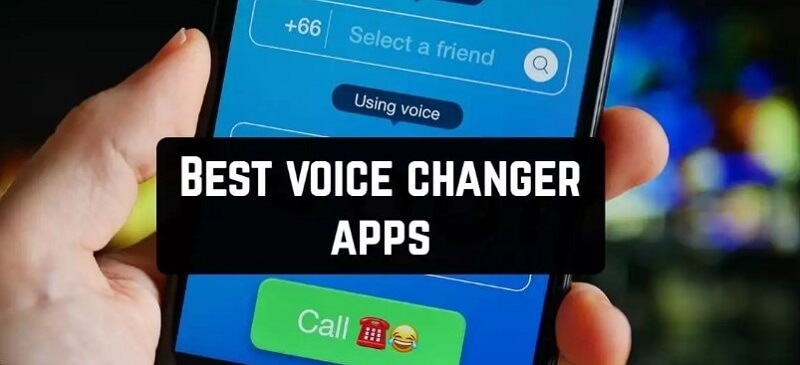
Credit: filme.imyfone.com
Tips For A Successful Voice Change
Discover how to change your voice on Android during calls with these useful tips for successful voice modulation. Learn about various voice changer apps and settings to enhance your voice quality and have fun during phone conversations. Unlock the potential to transform your voice effortlessly using your Android device.
Adjusting Settings Properly
For successful voice alteration during calls on your Android device, it is crucial to adjust the settings properly. First, navigate to the phone app and access the call settings. Then, look for the voice modulation or voice changer option. Ensure that you carefully adjust the pitch, tone, and speed to achieve the desired voice effect. It’s important to test different settings to find the perfect voice change that suits your preference.
Practicing Different Voices
Another essential tip for mastering voice change during calls is to practice different voices regularly. You can start by experimenting with various pitch and tone adjustments to see which voice suits your style. Use a voice recorder app to practice and listen to your altered voice. Consistent practice will help you become more comfortable and proficient in using different voices during calls, making the experience more natural and effective.
Privacy Concerns And Legal Considerations
In today’s world, the ability to change voice during a call on an Android device may seem like a fun and harmless feature. However, there are important privacy concerns and legal considerations to bear in mind when using this functionality. Let’s explore the understanding legal implications and the best practices for protecting personal information when it comes to altering your voice during calls on Android.
Understanding Legal Implications
When considering changing your voice during a call, it’s vital to understand the legal implications. In many jurisdictions, recording or modifying conversations without the consent of all parties involved can be deemed illegal. It’s crucial to be aware of the laws and regulations governing recording and altering voice communications and ensure compliance to avoid potential legal consequences.
Protecting Personal Information
Protecting personal information is of paramount importance when utilizing features that alter voice during calls. Whether for entertainment or privacy reasons, it’s essential to be mindful of the potential risks associated with sharing altered voice recordings. Always exercise caution and be certain that any voice changes are used in a responsible and ethical manner, safeguarding both your own and others’ privacy.
Future Of Voice Changing Technology
The future of voice changing technology brings the exciting possibility of changing your voice on Android during a call. Discover how this innovative feature can enhance your communication experience.
Advancements In Voice Alteration
Voice changing technology has come a long way in recent years, and the advancements in this field are truly remarkable. With the rise of smartphones and the increasing demand for personalized experiences, developers have been working tirelessly to create innovative solutions for altering voices during phone calls on Android devices.
Using cutting-edge algorithms and artificial intelligence, voice changing apps are now able to modify your voice in real-time, providing you with a wide range of options to choose from. Whether you want to sound like a robot, a celebrity, or even a fictional character, these apps can transform your voice with just a few taps.
Potential Uses And Impact
The potential uses for voice changing technology are vast, and the impact it can have on various aspects of our lives is astonishing. Here are a few examples:
Enhancing Privacy:
Being able to change your voice during a phone call can be extremely useful when it comes to protecting your privacy. Whether you’re discussing sensitive information or simply want to remain anonymous, voice alteration can provide an extra layer of security.
Entertainment and Fun:
Imagine making prank calls to your friends with a completely different voice or creating hilarious voiceovers for videos and podcasts. Voice changing technology opens up a whole new world of entertainment possibilities, allowing you to unleash your creativity and have a great time.
Language Learning and Accent Training:
Learning a new language or trying to improve your accent? Voice changing apps can help you practice different accents and dialects, making your language learning journey more immersive and enjoyable.
Customer Service and Marketing:
Businesses can leverage voice changing technology to provide unique and memorable customer experiences. Using different voice personas, companies can engage customers in a more personalized and interactive manner, leaving a lasting impression.
The future of voice changing technology is exciting, and as developers continue to push the boundaries, we can expect even more advancements and possibilities. Whether it’s for practical purposes or just for fun, the ability to change our voices during phone calls is undoubtedly changing the way we communicate.

Credit: www.youtube.com
Frequently Asked Questions For How To Change Voice On Android During Call?
How Do I Change The Voice On My Android Phone?
To change the voice on your Android phone, go to Settings, then Accessibility. Look for Text-to-speech output and select the preferred engine. Tap the Settings icon for the chosen engine and adjust the speech rate, pitch, language, and other options as needed.
Does Android Have Voice Changer?
Yes, Android devices have voice changer apps available in the Google Play Store. These apps allow users to modify their voice in real-time during calls or when recording audio. Popular options include Voicemod, Voice Changer with Effects, and RoboVox Voice Changer.
Is There An App To Change Your Voice When Calling?
Yes, there are apps available that can change your voice when making phone calls. These apps allow you to modify your voice in various ways to sound different and have fun during calls.
How To Change Your Voice To Sound Like Someone Else Naturally?
To change your voice to sound like someone else naturally, practice mimicking their tone, pitch, and speech patterns. Experiment with different techniques and record yourself to compare with the original voice. Consistent practice and patience are key to mastering the art of voice imitation.
Conclusion
To change the voice on your Android during a call, simply follow the steps discussed in this blog post. By using the Voice Changer app or the built-in call settings, you can have fun and add a touch of creativity to your conversations.
Remember, experimenting with voice options is a great way to personalize your Android experience and surprise your friends. So go ahead, have some fun with it!