Developing an Android app can be both exciting and rewarding. To get started, you’ll need to define your app’s purpose, choose the right programming language—Java or Kotlin being the most popular—and set up your development environment using Android Studio. Make sure to follow best practices for design and user experience, and don’t forget to thoroughly test your app before release. You’ll also want to familiarize yourself with the guidelines and requirements of the Google Play Store for a smooth launch. With these steps in mind, you’ll be well on your way to creating a functional and engaging Android application that users will love. Now, let’s dive deeper into the process of app development!

How to Develop an Android App
Developing an Android app can seem like a daunting task, but it can be an exciting journey filled with creativity and innovation. Whether you’re aiming to create a simple game or a comprehensive business application, there are systematic steps to follow that can lead you down the right path. This guide will break down the process into manageable sections, making it easy to understand.
Understanding the Basics of Android Development
Before diving into the development process, it’s essential to grasp the foundational concepts of Android. Android is an open-source operating system for mobile devices, powered by the Linux kernel. It is designed primarily for touchscreen mobile devices, including smartphones and tablets.
To get started, familiarize yourself with the following components of Android development:
- Java or Kotlin: These are the primary programming languages used for Android development.
- Android SDK: The Software Development Kit includes all the tools needed to build an app.
- Android Studio: This is the official Integrated Development Environment (IDE) for Android development.
- APIs: Application Programming Interfaces allow your app to communicate with other applications and services.
Understanding these basics lays the groundwork for creating your app.
Setting Up Your Development Environment
To start developing your app, you need to set up your development environment properly. Follow these steps to get organized:
- Install Java Development Kit (JDK): Download and install the JDK to ensure that your system can run Java applications.
- Download Android Studio: This is the official IDE for Android. It comes with built-in tools for coding, testing, and debugging your app.
- Configure Android SDK: Set up the SDK in Android Studio to access essential tools and libraries.
By ensuring your environment is set up correctly, you can focus on writing code.
Planning Your App
Every successful app starts with a solid plan. Here’s how to lay out your app’s structure:
- Define Your Audience: Identify who will use your app and what problems it will solve for them.
- Sketch the App Layout: Create wireframes to visualize the app’s interface and user experience.
- List Core Features: Identify must-have features and prioritize them based on user needs.
A thoughtful plan can save you from potential pitfalls during development.
Designing Your App’s User Interface (UI)
The user interface is crucial for app success. A well-designed UI can enhance user experience and keep users engaged. When designing your app, consider these points:
- Simplicity: Keep your design clean and straightforward.
- Consistency: Use similar colors, fonts, and buttons throughout the app to create a cohesive look.
- Feedback: Provide visual or audio feedback for user actions, enhancing interactivity.
Using tools like Adobe XD or Sketch can help you create stunning designs.
Getting Started with Coding
Now it’s time to start coding your app. Here are the steps to follow:
1. Create a New Project
Open Android Studio and create a new project. Choose a project template that matches your app’s purpose, whether it’s a basic app or one with advanced functionality.
2. Write Your Code
Begin coding with either Java or Kotlin. Focus on core functionalities first, testing each feature as you go. Here are essential components to include:
- Activities: These represent single screens with a user interface.
- Fragments: These are modular sections of an activity, helping you create a responsive UI.
- Intents: Use intents to start activities or communicate between components.
Properly structuring your code is vital for maintainability.
Testing Your App
Testing is an essential part of the app development process. Here’s how to ensure your app is bug-free:
- Unit Testing: Test individual components to catch bugs early.
- Integration Testing: Ensure different parts of the app work together seamlessly.
- User Testing: Gather feedback from real users to improve overall experience.
Testing helps you identify issues and ensure your app performs as expected.
Publishing Your App
After testing and refining your app, it’s time to publish it. Follow these steps to release your app on the Google Play Store:
- Create a Developer Account: Sign up for an account on the Google Play Console.
- Prepare Your App for Release: Generate a signed APK or Android App Bundle.
- Submit Your App: Fill out all necessary details, including app description, screenshots, and pricing.
Publishing your app is a significant milestone in your development journey.
Marketing Your App
Once your app is live, you need to promote it. Effective marketing strategies can help your app reach a broader audience:
- Social Media: Share your app on platforms like Facebook, Twitter, and Instagram.
- Content Marketing: Write blog posts or articles highlighting your app’s features and benefits.
- App Store Optimization (ASO): Optimize your app’s title, description, and keywords to increase visibility in the Play Store.
Marketing ensures your app gets the attention it deserves.
Maintaining and Updating Your App
After your app is launched, the work isn’t over. Regular updates and maintenance are crucial for long-term success. Here’s what to consider:
- User Feedback: Listen to user reviews and make improvements based on their suggestions.
- Bug Fixes: Regularly fix reported bugs to enhance user experience.
- Feature Updates: Keep your app relevant by adding new features and improvements over time.
Continuous support keeps your users happy and engaged.
By following these steps and dedicating time and effort to development, you can create a successful Android app that meets user needs and stands out in the market. With each phase, from understanding the basics to publishing and maintaining your app, you will gain valuable skills that can be applied to future projects. It’s a rewarding journey that can lead to endless possibilities in the world of mobile applications.
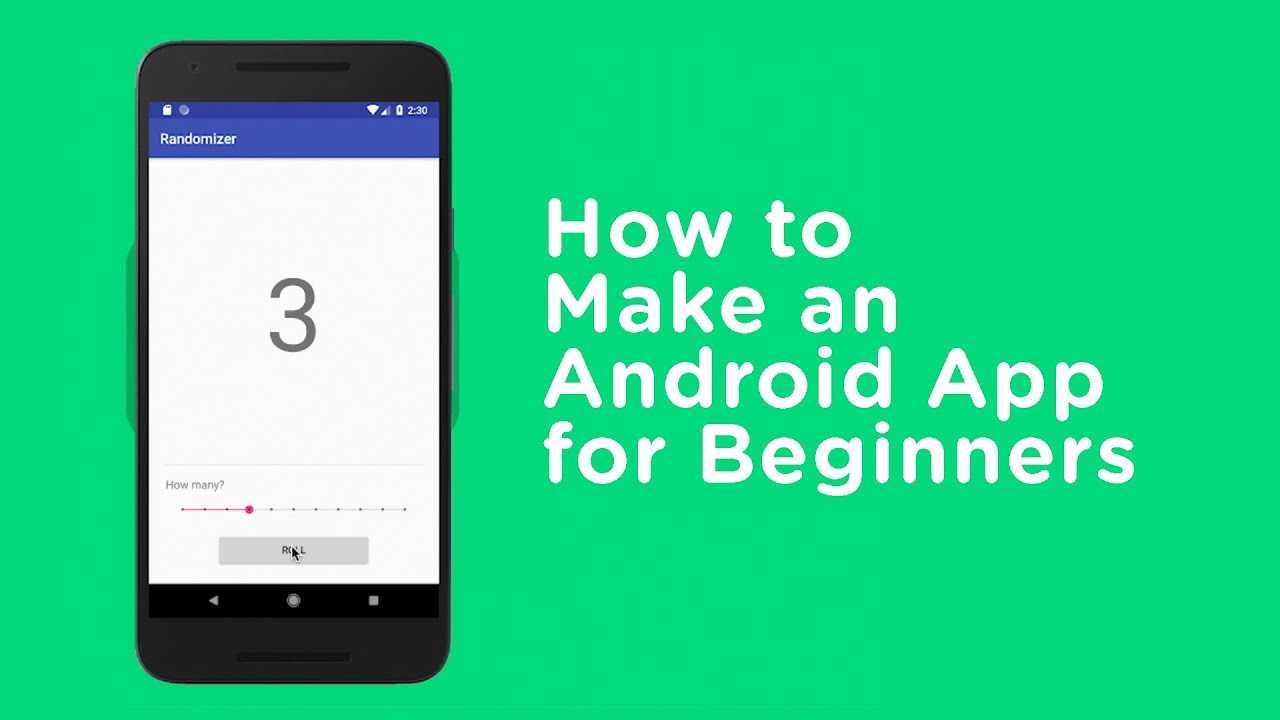
How to Make an Android App for Beginners
Frequently Asked Questions
What programming languages should I learn for Android app development?
For Android app development, you should focus on Java and Kotlin. Java has been the traditional language for Android, while Kotlin has gained popularity for its modern features and interoperability with Java. Familiarizing yourself with both languages will enhance your ability to develop efficient Android applications.
What tools and software do I need to start developing Android apps?
You need to install Android Studio, the official integrated development environment (IDE) for Android development. Android Studio provides all the necessary tools, including an emulator for testing, a layout editor, and a code editor. You may also want to set up a version control system like Git for better code management.
How can I test my Android app effectively?
To test your Android app, you can utilize the built-in Android Emulator within Android Studio. It allows you to simulate different devices and screen sizes. Additionally, consider using real devices for testing to catch device-specific issues. Tools like Espresso for UI testing and JUnit for unit testing can further enhance your testing efforts.
What is the importance of UI/UX design in Android app development?
UI/UX design significantly impacts user engagement and satisfaction. A well-designed user interface ensures that users can navigate your app easily, while a good user experience keeps them interested and encourages them to return. Prioritize clean design, intuitive navigation, and responsive layouts to create a positive experience for your users.
How can I monetize my Android app?
There are several ways to monetize your Android app, including in-app purchases, subscriptions, and ads. You can offer a free version of your app with limited features and charge for premium features. Alternatively, you can incorporate advertising through platforms like Google AdMob, allowing you to earn income based on user interactions.
Final Thoughts
To develop an Android app, start by defining your app’s purpose and target audience. Next, choose the right development tools, such as Android Studio, to facilitate your coding efforts.
Make sure to design a user-friendly interface that enhances the user experience. Finally, test your app thoroughly on various devices before launching it on the Google Play Store.
By following these steps, you can effectively learn how to develop android app and bring your ideas to life in the mobile marketplace.